

A tour of the platform
Everything from a new lead to a closed file, in the order you would actually meet it.
This is the walkthrough we would give you on a call, written down so you can read it at 11pm without booking anything. Each stop below is a part of the product that ships today, with a screenshot of the real thing.
Last updated: August 2026
Where it starts
Connect the tools you already work in
Nothing in the product is interesting until it knows who you talk to and what is happening in your market. So the first thing you do is connect an email account and, if you use one, your CRM.
Email and calendar run through Google's and Microsoft's own consent screens, and we ask for the narrow scopes rather than one blanket grant. After that, every message, meeting, note, and signed document lands on one timeline per contact. That timeline is what the rest of this page is built on.
You do not have to move off your current CRM to start. The connectors sync contacts and activity both ways.
- Gmail and Outlook, with two-way sync onto the contact record
- Google Calendar and Outlook Calendar, both directions
- Live CRM connectors for Follow Up Boss, kvCORE and BoldTrail, Lofty, CINC, BoomTown, and Cloze
- Live MLS data in California, New York, Rhode Island, Massachusetts, and Connecticut
- Nationwide property, tax assessor, and public records covering 155 million parcels
Your Atlas agents
Six specialists, each hired for a job
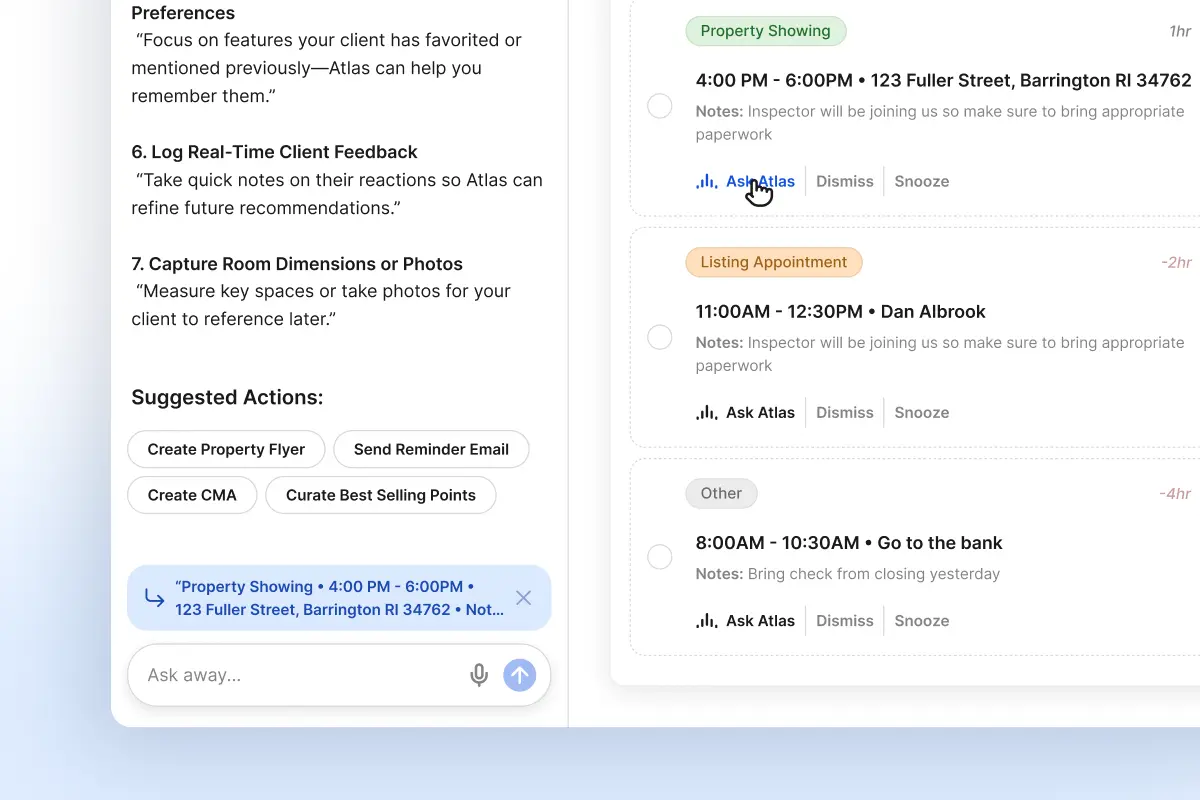
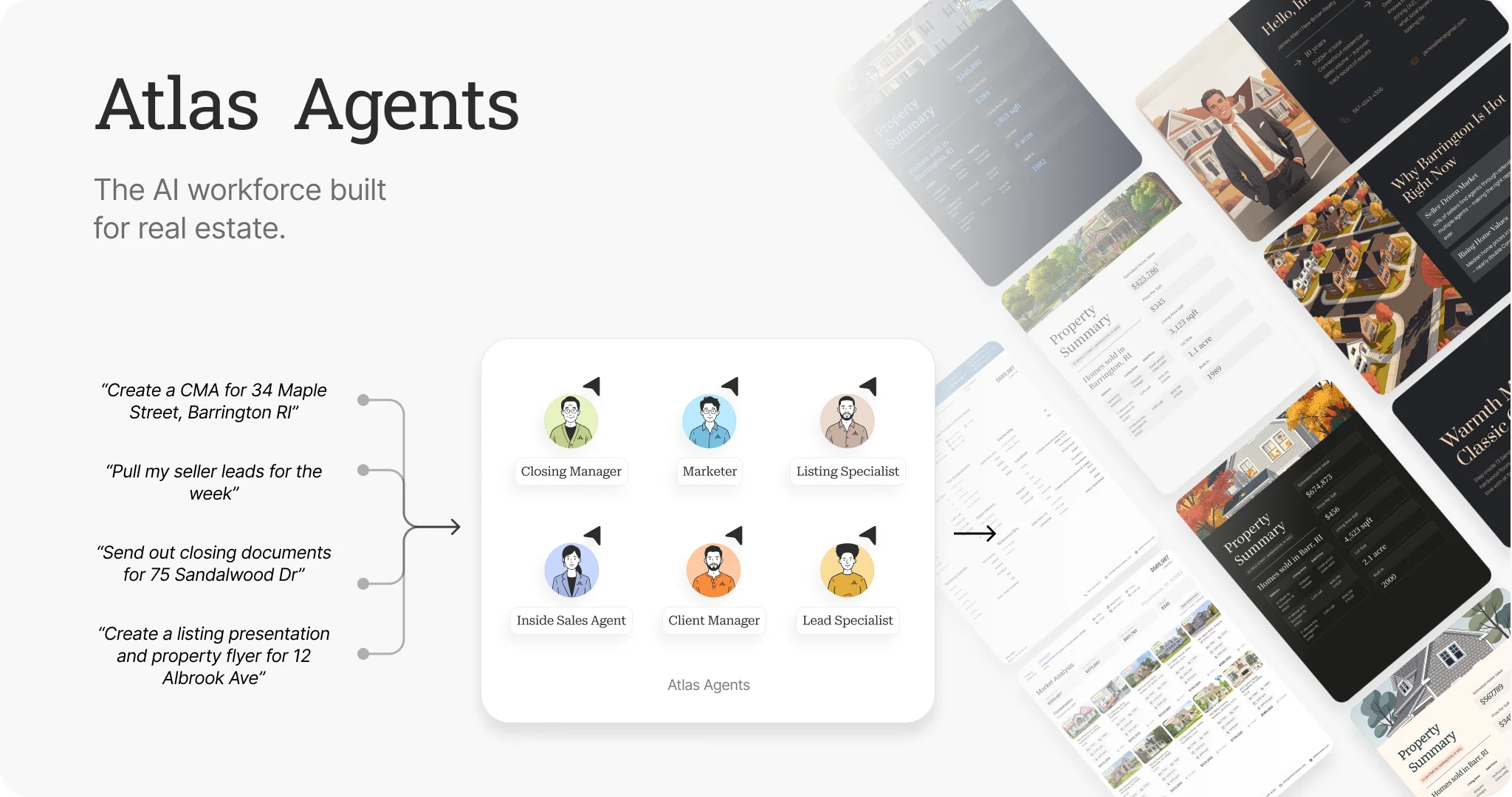
Atlas agents are the part people ask about first. They are not a chat box bolted onto a CRM. Each one owns a slice of the work you would otherwise do at night or never get to, and each one reads the same connected data you just plugged in.
They draft. You approve. Outreach, follow-ups, and re-engagement arrive in a queue where you send as written, edit the wording, or pass. Everything they do is logged.
Most of the work is recurring and runs before your day starts. Miles is the exception and works on request.
Ivy
Lead Specialist
Ivy finds the opportunities. You decide which to pursue. Once a week she claims the best new leads in your territory and re-runs your buyer searches for new matches.
Lucia
Inside Sales Agent
Lucia follows up with every lead. Each morning she sweeps your inbox and CRM for the ones that need a touch, then drafts the check-ins for you to read.
Alex
Listing Specialist
Alex prepares the pitch. You win the listing. Alex pulls the comps, runs the valuation, and builds the CMA you present.
Miles
Marketer
Miles creates the marketing. You bring the listing to market. Miles works on demand: ask for the flyer, the campaign, or the just-listed post when you want it.
Ren
Closing Manager
Ren handles the transaction details. You guide the client. Ren tracks the contingencies, the deadlines, and what needs signing next.
Scout
Client Manager
Scout keeps past clients engaged and uncovers the next opportunity. Weekly, Scout finds the contacts who went quiet and drafts something personal to send them.
Where the agents work
The pipeline they work is a real CRM
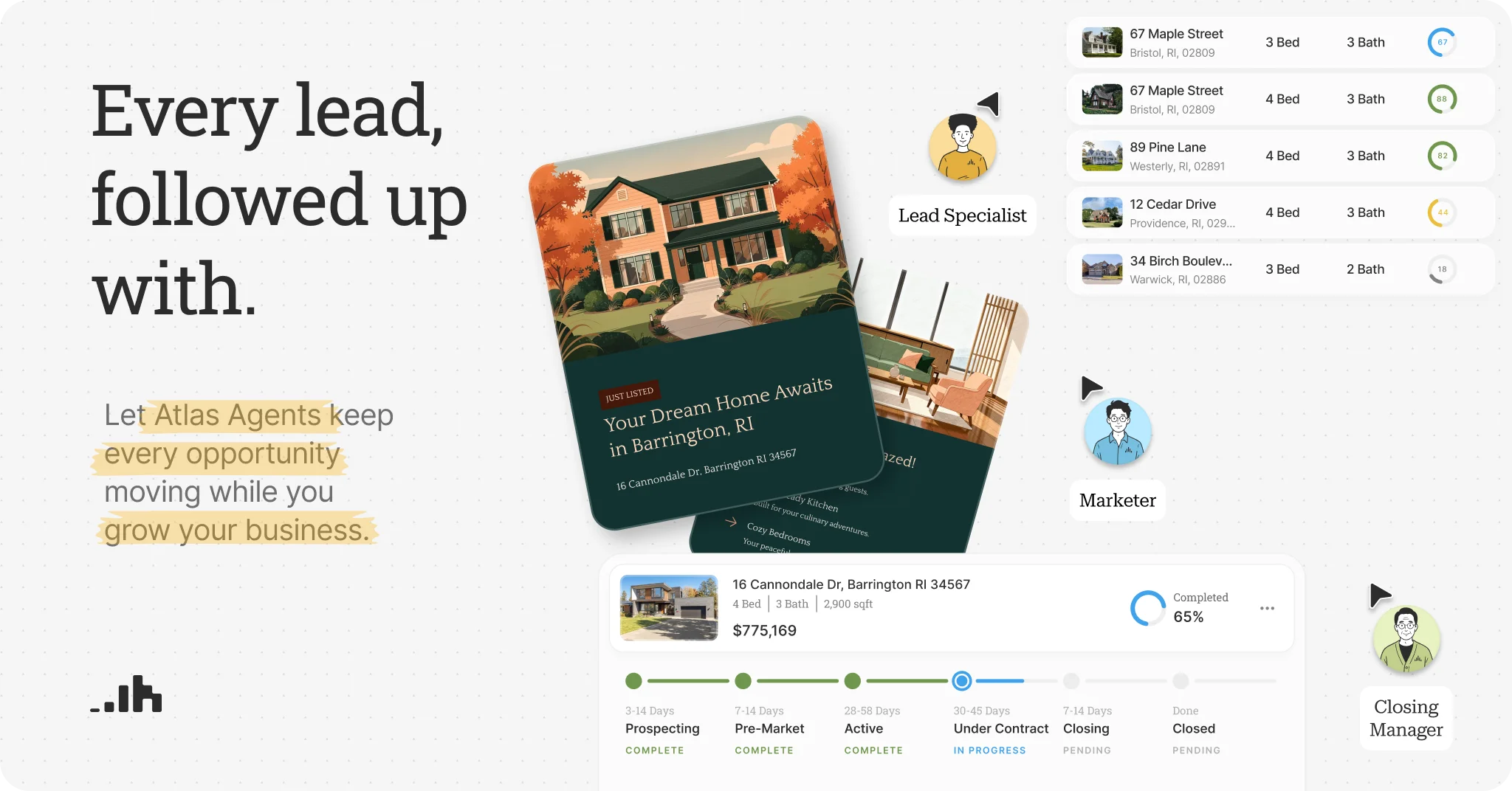
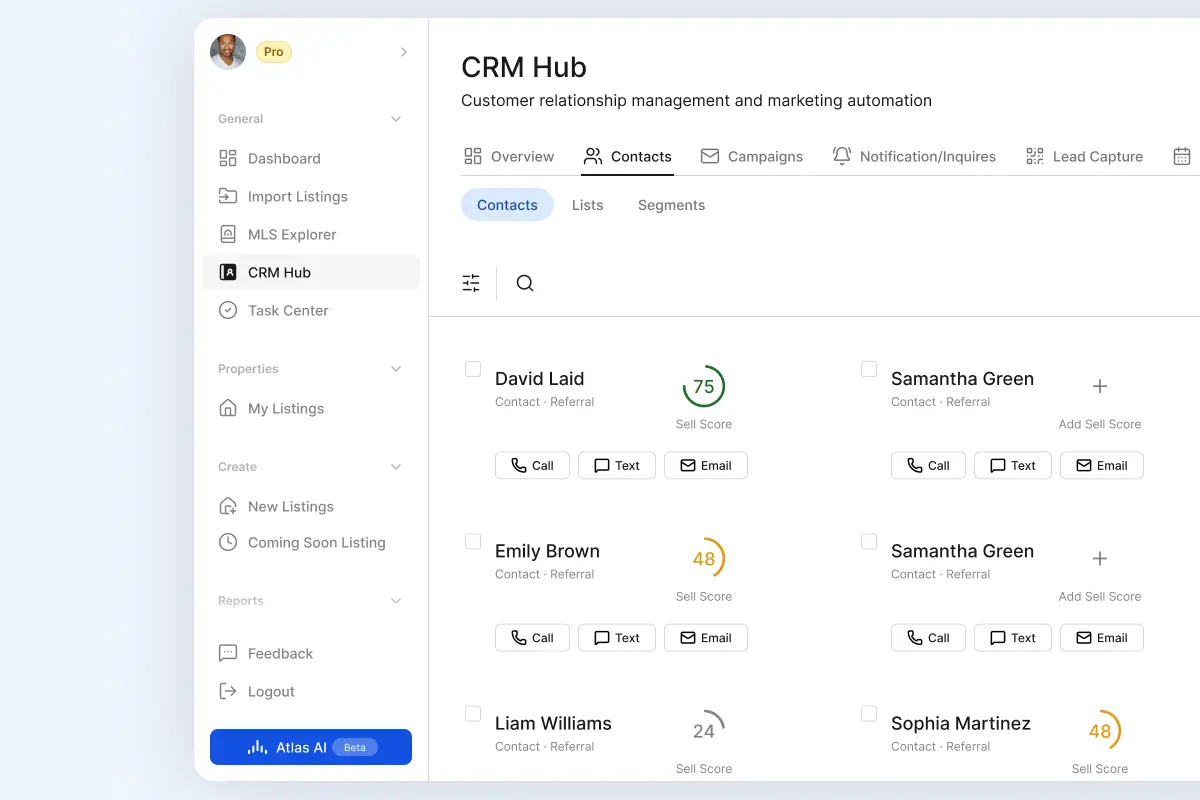
Lucia and Scout have to work somewhere, and that somewhere is a full CRM with stages, tasks, and a visual pipeline. Leads come in from your site, from portals, and from campaigns.
The thing worth looking at closely is the contact record. Because email, calendar, MLS activity, and eSignature all land on one timeline, an agent reading that record can see the whole relationship before it drafts anything. That is why the follow-up reads like you rather than like a template.
- One timeline per contact holding email, calls, meetings, notes, and signed documents
- Smart Lists you describe in plain English instead of building a filter by hand
- Automated email sequences that adapt to how a contact engages
- Separate buyer and seller lead scores, because the two mean different things
Market analytics and valuation
Price a property, then build the CMA you present
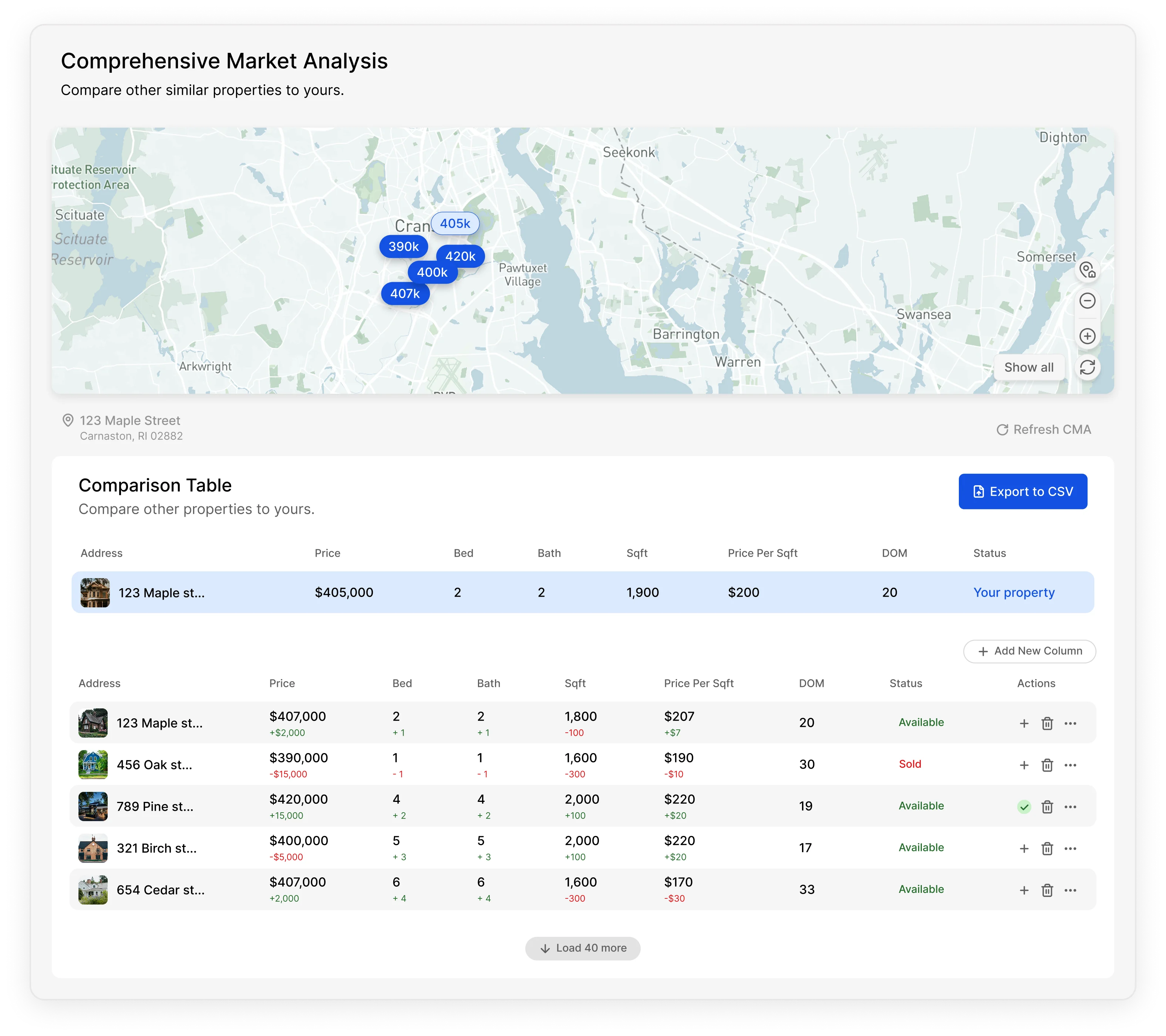
This is Alex's job. Point at an address and you get a valuation built from live MLS data plus tax assessor and public records, with the comparables it used sitting right there. Swap one out if you disagree. The number moves and you can see why.
Then ask Atlas to turn it into the branded presentation you actually walk into the appointment with. The analysis lives in the same system as the contact, so the follow-up afterwards starts right away.
- Comparables selected for you, with every one open to adjustment
- A value range on each valuation rather than a single number with no context
- List-price guidance you can walk a seller through line by line
- Branded CMA documents and presentations, prepared by Atlas and ready to share
Finding the next listing
Score your farm on who is likely to sell
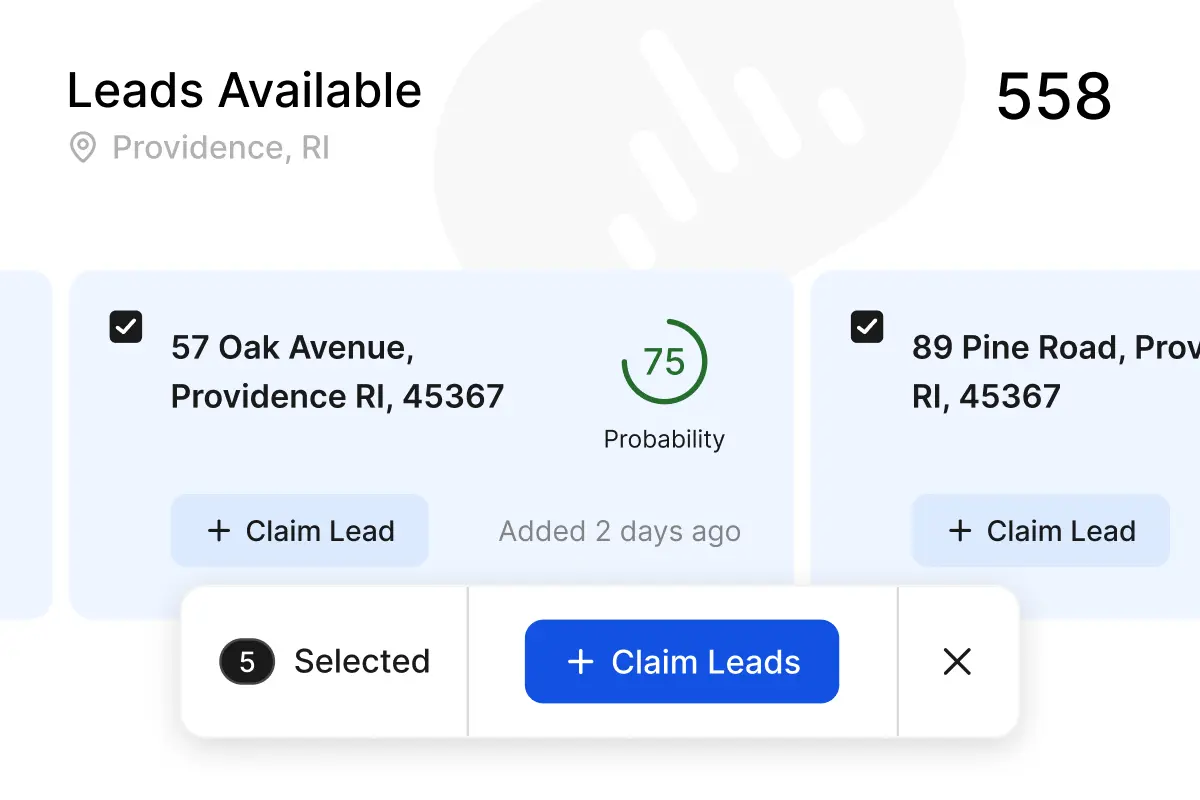
Farming usually means guessing which doors to knock. The Seller Leads Predictor scores the homeowners in an area on how likely they are to list, so the guessing gets narrower.
The scores are a starting point, not a promise about any one house. What makes them useful is that a scored homeowner arrives in the CRM as a contact your agents can work, with the ownership and equity context already attached.
- A likelihood-to-sell score on each homeowner, built from property records and behavioral signals
- Equity estimates, ownership history, and market context on every lead
- Predicted sellers flow into the CRM as contacts, not as a CSV you have to import
- Conversion tracking so you can tell which farm areas are worth the postage
Bringing a listing to market
Ask Miles for the marketing, then send it
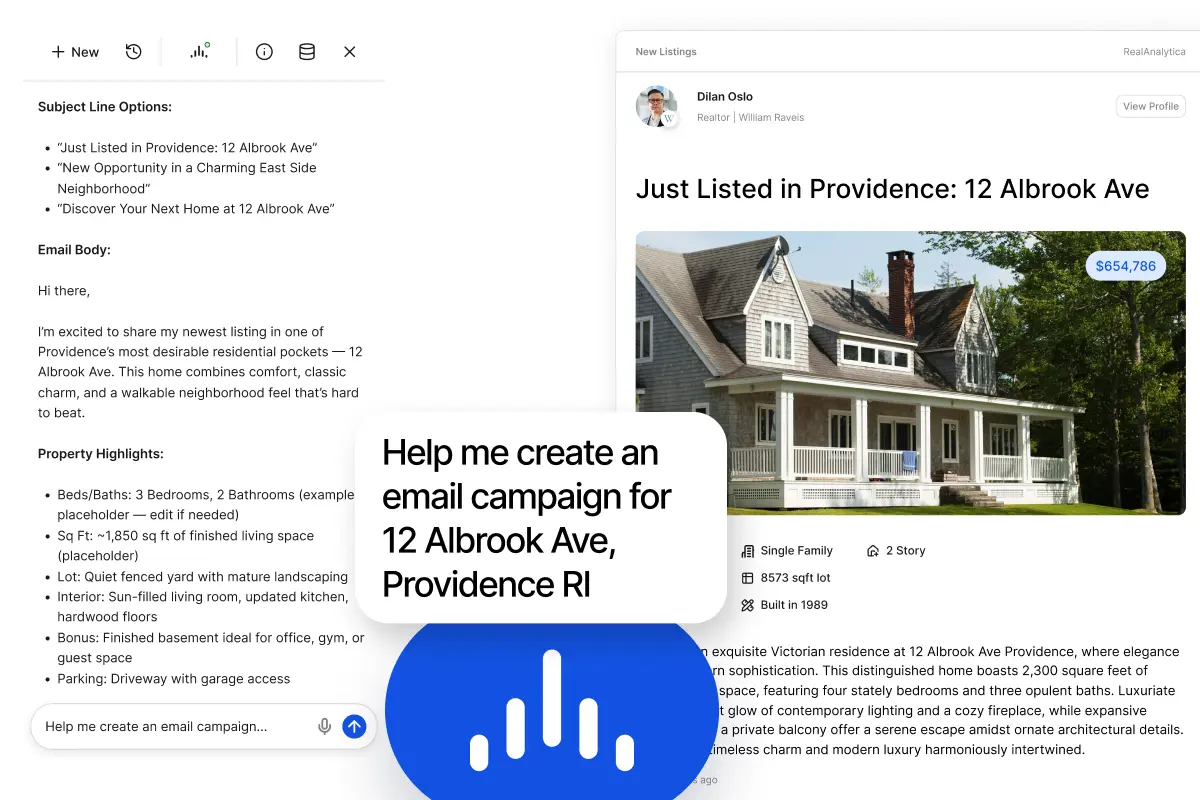
You have the listing. Now it needs a flyer, a description, a social post, and an email to the people most likely to care. Miles builds all of that on request from the listing you already have in the system.
Everything comes back on your branding. Opens and clicks tie back to the contact record, so the campaign feeds the same timeline the follow-up runs on.
- Print-ready flyers and listing presentations built from the listing photos and details
- MLS-ready listing descriptions drafted in the tone you pick
- Just-listed and just-sold graphics ready to post
- Email campaigns sent straight to a Smart List with no export step
- Tracked QR codes for listings and open houses, with the scans captured as leads
Contract to close
Run the deal in one file until it closes
Once an offer is accepted, Ren takes the details. Ask what is next on any deal and you get the answer without opening four folders and a spreadsheet.
Signing happens here too, on any document, without leaving the transaction. The reusable template library with signer roles that auto-fill from the deal is an Enterprise feature, and broker-level oversight across every agent's files lives on the compliance side.
- Contingencies and closing dates tracked, with reminders ahead of each one
- Tasks that appear on their own as the deal moves stage to stage
- A document vault holding every contract, disclosure, and addendum on the deal
- Built-in legally-binding eSignature with no separate subscription
- A timestamped audit trail of every send, view, and signature
.webp)
Before you sign up
Two things worth knowing plainly
The first is coverage. Live MLS data runs in California, New York, Rhode Island, Massachusetts, and Connecticut. Property records and public records are nationwide, so tax data and ownership history work for any address in the country. If your MLS is not on that list yet, the CRM, the agents, and the transaction side still work. The market analytics will be thin until we get there.
The second is cost. Agent Lite is free forever, in all 50 states, with no MLS membership required. It carries the CRM, task management, manual listing and transaction management, and your Atlas agents with a one-time grant of credits. The full data platform starts at $40 per user per month billed annually, or $50 month to month, and it has a 14-day trial that does not ask for a card.
That was the tour. Pick whichever ending suits you.
Go look around yourself
Create an account and start on Agent Lite. It is free, it works in every state, and nobody has to call you first. Connect your email when you are ready and the rest follows.
Start FreeHave someone walk you through it
Pick a time and we will run the same tour against your market, your pipeline, and the questions this page did not answer. Bring the awkward ones.
Book a WalkthroughStill comparing options? The pricing page has the plan detail, and security covers what your IT reviewer will ask.
Frequently Asked Questions
Hire your AI workforce
Specialist Atlas agents handle the follow-up, the prospecting, and the routine work. You review, approve, and stay in control.